Showing posts with label ( Android ) desktop style. Show all posts

Monday, 10 February 2014

Launcher 8 free

Launcher 8 free 
 

Launcher8 - Windows 8/ Windows Phone 8 launcher.
Bored of Android's User Interface? Do you want a new style start screen? If you do, then wait no more!
Launcher8 is a great app for you to experience the brand new style UI on your Android mobile phone.You can esay design look like Windows Phone 8 layout (fake wp8)and show off to your friends! 

 Android သမားအတြက္အရမ္းလန္းတဲ ့Windows Phone 8  ေလးပါ
မိမိတို ့ရိုးအီေနတဲ့ windowstyle ကိုလည္းျပီး
ဒီ app အသစ္ေလးနဲ ့လန္းလိုက္ၾကစို ့  Good ရွယ္ေနာ္
 features:
You can add different size tiles;
You can add a variety of color tile;
You can save and restore the theme;
You can edit the start screen layout;
You can set the current background style;
You can switch the application list style
You can add Android widgets in the tiles;
You can set the wp8 style lock screen and status bar;
You can select more than one hundred kinds of theme colors;
You can add special features tiles,like time,flashlight,pictures and contact photo.
Reminder:
1 shows the live contact needs to read the contact data access permission;
2 add a shortcut when direct dial call authority need the android.permission.CALL_PHONE ;
3 add send SMS shortcut operation message need permission. 
 
Launcher 8 free
Launcher 8 free
Launcher 8 free 


DOWNLOAD>>>>>  LINK 1 /or/ LINK 2 


Thursday, 30 January 2014

Android window 7

             Android phole ကိုင္သူမ်ားအတြက္
 မိမိဖုန္း desktop  style  ရိုးေနရင္  window 7 atyle ေျပာင္းသံုးလိုက္ပါ
ဖလန္းလန္းထေနတာပဲ 


hold on the screen ( like you would add a widget) , click on "settings" than after the second pop out comes up, click on "desktop background", than other pop out will come out and than click on "background management" when the pop out screen comes "Alarm" click on "cancel", than other screen will pop out and click on the top of the screen where it says "select background image" click on "select" after that click on the second folder , and a "image folder" should pop out. now post all the wallpapers that i post on the download below and on your sd card there should be a folder all the way in the bottom of the root of ur sd card call " windows 7 " and an "image folder should come out", drag the "wallpaper link below" and draw it to your root of the sd cards of the folder call "windows 7 / images" and paste right there, and now follow the steps that were giving in the beggining and you should see all the new wallpapers and choice any that u like. and enjoy


        DOWNLOAD>>>>>  LINK 1/ LINK 2

Wednesday, 29 January 2014

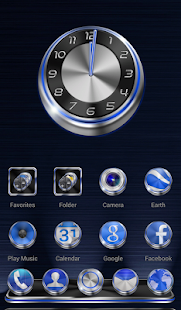
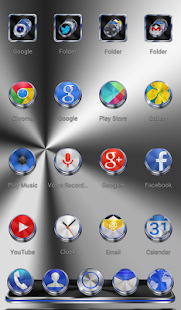
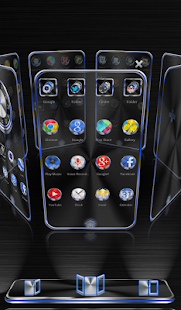
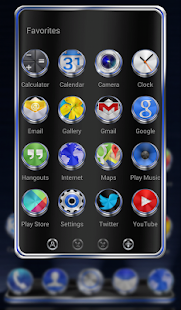
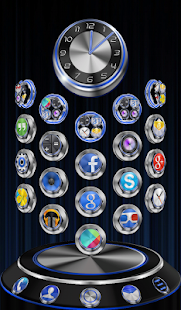
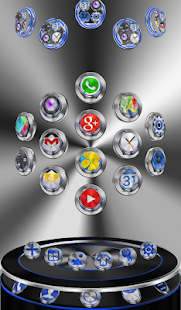
- Next Launcher Theme Techno 3D v1.0

Launcher ေတြထဲမွာနာမည္ၾကီးလူၾကိဳက္မ်ားတဲ့ Next Launcher ကေတာ့ သူ႕ရဲ႕ New Mode Compatible အေနနဲ႕ Next Launcher Theme Techno 3D v1.0  ဆိုျပီး ပထမဆံုး Version ကိုေရးသားလိုက္ျပီျဖစ္ပါတယ္ ဗ်ာ။ Next ထက္ဆေပါင္းမ်ားစြာလန္းတယ္ဗ်ာ။ ကၽြန္ေတာ့္ဖုန္းေလးမွာေတာ့ ဦးဦးဖ်ားဖ်ားသံုးေနျပီ။ အရမ္း မိုက္တယ္ဗ်ာ။ နမူနာအေနနဲ႕ေအာက္မွာ Screen Shoot ေတြရိုက္ျပီးတင္ေပးလိုက္ပါတယ္ဗ်ာ။ သူမ်ားေတြရဲ႕ ဖုန္းနဲ႕ မတူဘဲ တမူထူးျပီးလန္းခ်င္သူမ်ားအၾကိဳက္ေတြ႕ေစမွာပါ။ သူငယ္ခ်င္းေတြလည္း သူမ်ားေတြထက္ ဦးဦးဖ်ားဖ်ားသံုးႏုိင္ေအာင္ ခ်က္ျခင္းဘဲတင္ေပးလိုက္ပါတယ္ဗ်ာ။ Android OS 2.2 ႏွင့္အထက္ဖုန္းမ်ားမွာ အသံုးျပဳႏိုင္မွာျဖစ္ပါတယ္ဗ်ာ။
Next Launcher Theme Techno 3D - screenshot    Next Launcher Theme Techno 3D - screenshot
Next Launcher Theme Techno 3D - screenshot  Next Launcher Theme Techno 3D - screenshot
Next Launcher Theme Techno 3D - screenshot Next Launcher Theme Techno 3D - screenshot

 **  Step-1.ေအာက္က Download Button ကိုႏွိပ္လိုက္ပါ  

**  Step-2. "5sec". ေလာက္ေစာင္႕ေပးပါ။

**  Step-3. "  << SKIP AD >>   ".ကိုႏွိပ္ေပးပါ။

**  Step-4. Download Link က်လာပါလိမ္႕မယ္။

**  အဆင္ေျပပါေစဗ်ာ။


DOWNLOAD>>>     tusfiles  
                                            solidfiles
credito  ေမာင္ေပါက္